My Google Business Profile Got Suspended: Here is the Exact Appeal That Worked
There is no feeling quite like the “gut punch” of opening your inbox to see a notification from Google stating, “Your Business Profile has been suspended.” For a local business owner, this isn’t just a technical glitch; it is an immediate halt to your digital storefront, a disappearance from the local map pack, and a direct hit to your revenue. As Ali Raza, a GMB reinstatement expert who has managed hundreds of these cases, I can tell you that the landscape of 2024 through 2026 has shifted dramatically. The old methods of sending a desperate email to support or simply clicking “reapply” without changes are relics of the past. Today, if you want to rank google business profile assets successfully after a takedown, you need a surgical approach. Google’s algorithms have become more sophisticated, and their manual review teams are more stringent than ever. This guide will walk you through the exact process and the specific appeal template I use to bring businesses back from the dead.
Why Google Suspends Profiles (The 2026 Reality)
In the current 2024-2026 era, Google’s primary objective is data integrity. Suspensions are rarely “accidents”; they are usually triggered by a perceived violation of the “Fix suspended or disabled profiles” guidelines. One of the most common triggers we see today is NAP (Name, Address, Phone) inconsistency. If your business name on Google includes descriptive keywords that aren’t on your legal registration – a common but risky tactic for google business profile optimization – you are a prime target for a “hard suspension.”
Furthermore, “shady” categories or choosing too many unrelated categories can flag your account. We are also seeing a massive crackdown on Service-Area Businesses (SABs). If you operate out of your home but haven’t properly hidden your address, or if you cannot provide a utility bill that matches your registered location, Google’s AI will flag you for “quality issues.” Local business seo now requires a level of transparency that many business owners overlook. Google’s official stance has moved toward a “guilty until proven innocent” model, meaning the burden of proof lies entirely on you to show that your business is a legitimate, physical entity serving the local community.
The Pre-Appeal Audit: Fixing the Root Cause
You cannot – and should not – submit an appeal until you have fixed the root cause of the suspension. Submitting an appeal for a non-compliant profile is the fastest way to get a permanent ban. This is where a google business profile audit tool mindset becomes essential. Before touching the appeal form, perform a manual audit of every single field in your dashboard.
First, look at your business name. Does it include your city or your service (e.g., “Ali’s Plumbing & Rooter NYC”) when your legal name is just “Ali’s Plumbing”? If so, change it back to the legal name immediately. Second, check your address. If you are using a P.O. Box, a virtual office, or a co-working space without a dedicated, private suite, you are in violation. Google’s 2026 update specifically targets these “ghost locations.” You must ensure your website, your social media profiles, and your local citations all mirror the data on your GBP. If you are wondering Why Your Profile Failed the 2026 Local Rankings Help Audit, it is often due to these micro-inconsistencies that suggest a lack of physical presence.
Step-by-Step: Navigating the New Google Appeal Tool
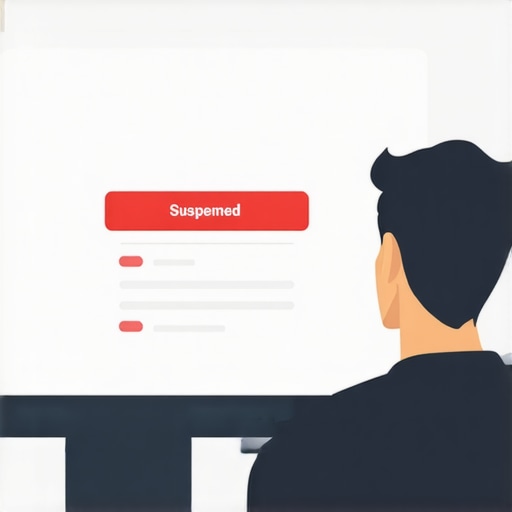
The days of the simple “reinstatement request” form are gone. Google has introduced a structured “Appeal Business Profile content” tool that requires a multi-step verification process. When you log in to your dashboard and see the “Suspended” or “Restricted” status, your first move is to identify if the *account* is restricted or just the *profile*. If your entire Google account is restricted, you must resolve that at the account level before the profile can be salvaged.
Using modern local seo tools to track your status is helpful, but the manual process involves signing into the Google Business Profile Help tool. You will be asked to select the specific business that is suspended. The tool will then show you the current status and allow you to “Evidence” your claim. It is vital to note that you usually only get one shot at this structured appeal before you are forced into a much longer, more difficult manual review process. The tool will ask you to upload documents – this is where most people fail because they upload low-quality photos or incomplete documents. You need to treat this like a legal filing. Google’s 2024/2025 update emphasizes that “Appeal reviews” are the final stage, and any account-level restrictions take priority over individual profile fixes.
The “Exact Appeal” Template That Gets Results
When you reach the text box in the appeal tool where you can “explain why the business should be reinstated,” do not use it to complain. Do not tell Google how much money you are losing. Instead, use a professional, evidence-based tone. Here is the exact template I use for my gmb ranking service clients:
Subject: Reinstatement Request for [Business Name] – [ID Number]
Message:
Hello Google Support Team,
I am writing to formally appeal the suspension of the Google Business Profile for [Business Name] (Business ID: [Insert ID]). After a thorough review of the Google Business Profile Guidelines, I realized that my profile was non-compliant due to [mention the specific fix, e.g., “incorrectly including keywords in the business name” or “an outdated address”].
I have taken the following corrective actions:
- I have updated the business name to match our legal registration: [Legal Name].
- I have verified that our address [Insert Address] matches our official utility bills and state business license.
- I have ensured our phone number and website link are correct and functional.
Attached to this appeal, please find the following evidence of our business legitimacy:
- A copy of our official State Business License.
- A recent utility bill (dated within the last 30 days) showing the business name and address.
- A photo of our permanent signage and office entrance.
Our goal is to provide accurate information to Google users, and we are now fully compliant with all policies. Thank you for your time and assistance in reinstating our profile.
Sincerely,
[Your Name]
[Your Phone Number]
By using this structured approach, you show the reviewer that you have done the work. If you are using a google maps ranking service to manage your presence, ensure they are following these compliance standards before they attempt to rank google business profile assets again. This template works because it acknowledges a mistake, demonstrates a fix, and provides undeniable proof.
Essential Documentation: The “Evidence Bundle”
The “Evidence Bundle” is the most critical part of the appeal. Google’s support teams are often overseas and handle thousands of tickets; they want to see clear, high-resolution proof that requires zero guesswork. You should provide a PDF scan of your Business Registration or LLC formation papers. A grainy photo taken with a phone will often be rejected. Furthermore, your utility bill (electric, water, or internet) must be a full page, showing the header with the provider’s logo and the footer.
I also recommend what I call the “Photo Habit.” This involves taking photos of your business vehicle with branding, your tools, and your staff in front of the location. These aren’t just for the appeal; they help you 3 GMB Elevation Tactics to Win the 2026 Radius Update by building “entity trust” with Google. If you are an SAB, take a photo of your branded truck parked in your driveway alongside your registration documents. This level of detail makes it nearly impossible for Google to deny your existence.
Recovering Your Rankings After Reinstatement
Once you get the glorious email saying “Your profile is now live,” the work isn’t over. Often, a suspended profile loses its “authority” and drops in the rankings. To rank higher on google maps again, you need to re-engage the algorithm. Start by posting a “New Update” on your profile immediately. Mention that you are back and ready to serve customers. This signals to the crawler that the profile is active.
You should also look into Optimizing Map Pack for Better Local Rankings in 2025 strategies, such as gathering new, high-quality reviews and updating your Q&A section. If your rankings don’t bounce back within 14 days, you may need to use a professional google maps ranking service to rebuild your local citations and strengthen your backlink profile. Remember, a suspension is a “black mark,” but consistent, white-hat activity over the following weeks can erase the negative impact and help you rank google business profile pages even higher than before the suspension.
Conclusion & Next Steps
Dealing with a Google Business Profile suspension is stressful, but it is not the end of your business. By following this 2024-2026 guide, performing a rigorous audit, and using the exact appeal template provided, you significantly increase your chances of a successful reinstatement. The key is patience and precision. Do not rush the appeal. Ensure every document is perfect and every field is compliant. If your first appeal is denied, do not keep submitting the same form. At that point, the process becomes much more complex, and you may need to seek professional help. If you’re struggling to navigate the “Appeal Business Profile content” tool or your business is still invisible, feel free to contact me, Ali Raza, for expert reinstatement assistance. Let’s get your business back on the map where it belongs.